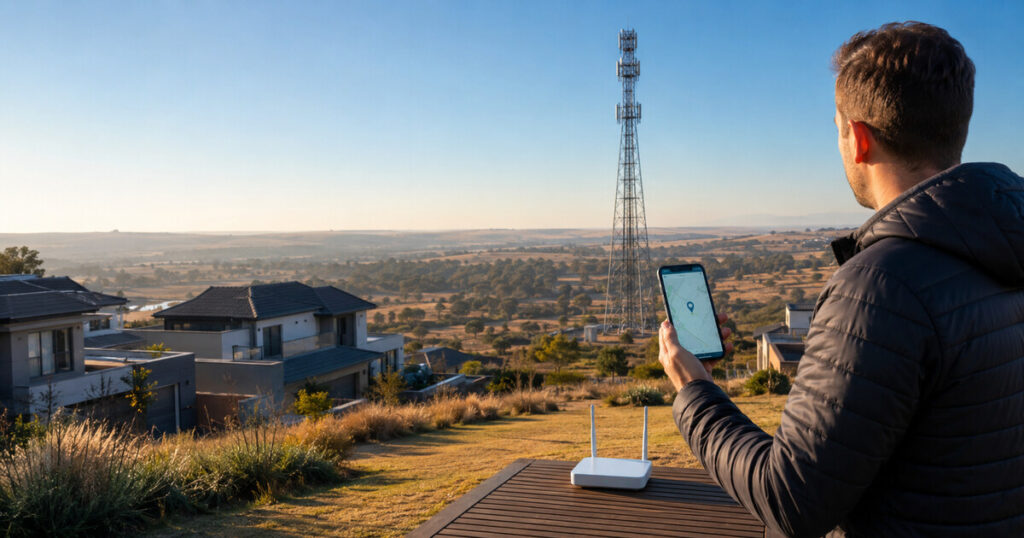
Finding the nearest cell tower in South Africa can be useful when you are choosing a mobile network, troubleshooting weak LTE or 5G, positioning a router, or aiming an external antenna. People often search for “nearest cell tower South Africa” expecting one definitive pin, but the physically closest tower is not automatically the tower your phone or router uses—and it is not always the best tower for your connection.
This guide shows you how to locate nearby tower candidates with CellTower.co.za’s South African tower lookup, compare them intelligently, check which cell may actually be serving your device, and verify the result using real signal readings and speed tests. It also explains the limitations of tower databases and operator coverage maps so that you can make a practical decision without treating an estimate as a guarantee.
Quick answer: Enter your address, suburb, town, GPS coordinates or an exact map pin in the Celltower.co.za lookup. Analyse the location, compare the nearest candidates by distance, bearing, sector alignment, bands and data confidence, and then verify the most promising option with your router’s Cell ID, RSRP, RSRQ and SINR readings. Do not choose a tower on distance alone.
What does “nearest cell tower” actually mean?
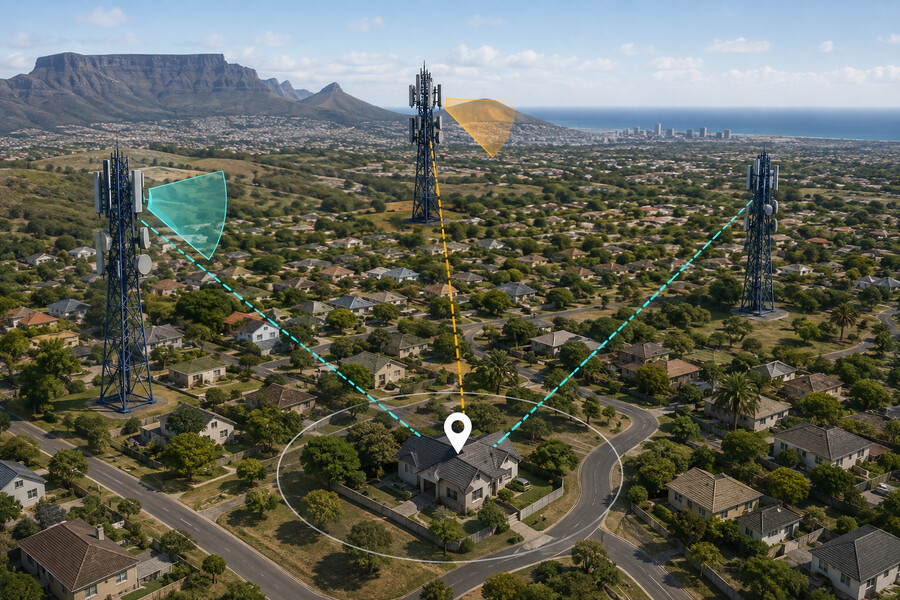
A cell tower is a physical site that can carry equipment for one or more mobile networks. A site may have several sectors, radios, technologies and frequency bands. The antennas on the structure normally serve particular directions rather than transmitting equally in every direction. Two records at the same structure can therefore represent different operators, bands or sectors.
When a lookup ranks towers by distance, it answers a geographical question: which recorded sites are closest to the location you selected? Your device answers a more complicated radio-network question. It may connect to a farther site because that site has a sector facing you, a compatible band, a clearer path, more suitable network configuration or a stronger usable signal at that moment.
Buildings, trees, hills, indoor walls, antenna height, interference and network load can all change the result. A tower 1.5 km away behind a ridge may be less useful than one 4 km away with a clearer path. A nearby tower belonging to another operator is irrelevant to your SIM. A tower may also carry a band that your router does not support.
That is why CellTower.co.za distinguishes between the closest tower and the best overall candidate. The closest result remains valuable, but it should be the start of your investigation rather than the final answer.
How to find your nearest cell tower in South Africa
The fastest method is to use an exact location rather than searching only by suburb. A suburb name may place the pin near its centre, while your home, farm, office or installation point could be several kilometres away. Even a small position change can alter distance, terrain and the bearing to a tower.
Step 1: Open the South African tower lookup
Go to the CellTower.co.za tower comparison engine. The tool is independent and designed for South African LTE users. It uses available tower records to identify and compare candidates around the point you select.
Step 2: Set the most accurate location you can
You have four practical options:
- Search an address: Enter the street address, suburb, town or city.
- Enter coordinates: Paste latitude and longitude in decimal format, for example
-25.9992, 28.1263. - Use your current location: Allow browser location only when you are physically at the place you want to test.
- Place the pin manually: Click the map and drag the location marker onto the exact building or antenna position.
For a fixed LTE installation, the map pin should represent the router or external-antenna location—not merely the entrance to a property. On a farm or large industrial site, a difference of a few hundred metres may meaningfully change the path to a tower.
Step 3: Start without restrictive filters
Leave operator, technology and band set to “all” for the first search. This gives you a broad view of what the current dataset contains nearby. Once results appear, apply an operator filter that matches your SIM. You can then narrow the technology or frequency band if you are answering a specific compatibility question.
Starting too narrowly can hide useful candidates, especially if a record is incomplete or an operator name is represented differently in the source data. Broad first, narrow second is usually the safer workflow.
Step 4: Analyse the location
Select Analyse location. The map plots nearby tower records, draws aim paths and presents result cards. The exact map marker is used to calculate the distance and bearing to each candidate. Numbered markers help you match the map to the ranked list.
Step 5: Compare “closest” with “best overall”
Use the ranking control to switch between closest distance, best overall candidate, best sector alignment and best data confidence. If the same site remains near the top under several ranking methods, it deserves closer investigation. If the closest site drops sharply when sector alignment or band information is considered, do not aim an antenna at it automatically.
Step 6: Record the bearing and candidate details
The bearing is the clockwise direction from true north to the tower. A bearing of 90° points east, 180° south and 270° west. Save or export the result so that you can compare it with field observations, router readings and later antenna tests.
CellTower.co.za can also download the candidate list as CSV, print a report and share the selected result after a location has been analysed. Those exports are useful when a technician, installer and customer need to work from the same candidate list.
How to compare nearby cell tower candidates
A good comparison combines several signals. No single field proves that a site will give you reliable service.
1. Distance
Shorter distance can reduce path loss, but only when other factors are reasonably favourable. A close tower behind dense buildings or terrain may perform worse than a farther tower with a clearer path. Distance also does not reveal whether the site serves your operator or supports the band your device needs.
2. Operator
Filter for the network used by your SIM. Vodacom, MTN, Telkom, Cell C and rain do not share every site, band or radio configuration. Roaming arrangements can further complicate what the network name on a device appears to mean. Treat the operator field as important evidence, then verify it with the device and the operator’s own coverage resources.
3. Sector direction and alignment
Many mobile sites use sector antennas aimed in different directions. A nearby tower may have no recorded sector facing your location, while another site farther away may be well aligned. The lookup uses available azimuth information to help compare that relationship, but sector records can be missing or outdated. Think of the sector cone as planning guidance, not a surveyed coverage boundary.
4. Frequency bands
Lower-frequency mobile bands generally travel farther and penetrate obstacles better than higher-frequency bands, while higher-frequency spectrum can provide more capacity over suitable paths. The useful tower is one that combines workable propagation with bands supported by your phone or router.
Check the device specification carefully. A router sold for another region may have external antenna ports yet lack one or more South African LTE or 5G bands. The router and antenna compatibility tool can compare the bands and antenna-port information you provide with the selected candidate record.
5. Data confidence
A record with a known operator, bands, cells, nodes and sector information gives you more evidence than a coordinate with little supporting detail. Higher data completeness does not make the site “better” by itself; it makes the planning conclusion more defensible.
6. Terrain and obstructions
Hills, ridges, cuttings and the curvature of a long path can obstruct radio propagation. Trees, metal roofs, reinforced concrete and dense development can also reduce or scatter the signal. Use CellTower.co.za’s terrain-path estimate as an initial screen, then inspect the real surroundings. The terrain feature is a planning aid and does not model every building, tree or local reflection.
7. Network load and performance
A map cannot tell you the live load on a sector. A strong signal from a busy tower can still produce poor speeds at peak times. Conversely, a moderate but clean signal on a less congested sector may perform well. Only repeated testing can reveal this.
Practical rule: Shortlist two or three plausible towers. Compare operator, bearing, sector direction, bands and path conditions. Then use signal readings and speed tests to identify which candidate actually works best.
How to check which tower your phone or router is connected to
The tower closest to your pin and the cell currently serving your device are different concepts. To identify the serving cell, look for network information in your router’s administration page or a phone’s field-test view. Depending on the device, you may see values such as Cell ID, ECI, eNodeB or gNodeB identifiers, LAC or TAC, PCI, LTE/NR band, RSRP, RSRQ and SINR.
Router menus vary substantially. Common locations include “Network Information”, “Device Information”, “Cellular Status”, “Diagnostics” or “Internet Status”. Do not change band-locking, APN or engineering settings merely to view the status page.
Once you have a Cell ID, open the Serving Cell Finder and enter it. Add the LAC when available to reduce ambiguous matches. A match can help connect the live device reading to a tower record, but it is not guaranteed: identifiers may be represented in decimal or hexadecimal, databases may store a related sector identifier, and the required record may be absent.
Phone field-test procedures also differ by manufacturer, operating-system version and network mode. On Android, some devices expose serving-cell information under SIM status or a diagnostic menu, while others require a reputable network-information app. iPhone Field Test Mode may expose cellular measurements, but menu labels and available fields can change between iOS versions. Use these readings as evidence, not as a reason to install unknown apps or grant excessive permissions.
Use official operator coverage maps as a second check
Tower-location data and coverage maps answer related but different questions. A tower lookup shows recorded sites and geometry. An operator coverage map estimates where a particular service may be available. Use both.
- MTN’s official coverage page allows an address or pinned-location check.
- Telkom’s official coverage checker asks you to select the service type and enter an address.
- Vodacom recommends checking its coverage map and notes in its LTE coverage guidance that environmental factors and infrastructure changes can make coverage maps imperfect.
- rain’s service terms and coverage information direct users to its coverage check and make clear that coverage is not guaranteed.
An address shown as covered does not promise a particular indoor signal, speed or tower. Operator maps are normally planning representations rather than live sector-load monitors. Confirm the service at the exact property—especially before buying a fixed-location package, router or external antenna.
How to verify the best tower in the real world
Verification separates a useful plan from a guess. Keep the SIM, router, test server and test method as consistent as possible while comparing positions or antenna directions.

Record signal quality, not only signal bars
Signal bars are simplified and differ between devices. Router readings are more useful:
- RSRP reflects the strength of the LTE reference signal received by the device.
- RSRQ helps describe reference-signal quality and is affected by interference and load.
- SINR compares the wanted signal with interference and noise. Better SINR often supports higher-order modulation and more stable throughput.
- RSSI is a broader received-power measure and is less useful on its own for LTE optimisation.
Enter the available readings into CellTower.co.za’s signal diagnosis tool. It can help distinguish weak received power from poor signal quality. Take readings over several minutes because a device may change cells or bands while you test.
Test at more than one time of day
Run a controlled speed test in the morning, afternoon and evening. Peak-time congestion may not appear during a quiet midday test. Use the same device, same test location and, where possible, the same test server. Record download, upload, latency and stability rather than judging the connection by one headline number.
After aiming or repositioning, use the site’s YohFast speed-test link or another consistent test method. Wait for the router to settle before measuring; some routers need time to reselect a cell or re-establish carrier aggregation.
Watch whether the serving cell changes
Note the Cell ID, band and key signal values before and after moving the router or antenna. A speed increase may come from connecting to a different sector or band—not merely from making the same signal stronger. This information is valuable if you later need to reproduce the setup.
Using a tower result to plan an external LTE or 5G antenna
A tower bearing gives you a starting direction for a directional antenna. It does not replace fine-tuning. Begin with the best-supported candidate, align the antenna approximately to the map bearing, and then make small changes while watching RSRP, RSRQ and especially SINR.
Choose the antenna class for the situation:
- Omnidirectional antenna: Useful when signals arrive from several directions, the router moves, or the preferred site is very close and strong.
- Directional panel antenna: A practical 2×2 MIMO option for many fixed moderate-distance installations.
- Directional LPDA arrangement: Often considered for long or difficult paths where careful alignment and broad frequency support are required.
Confirm frequency range, connector type, number of router ports and MIMO capability before purchasing. Cable loss can erase antenna gain, especially with long, thin coaxial cable. Use the shortest suitable low-loss cable, weatherproof outdoor connections and obtain competent installation assistance where height, lightning exposure or roof access creates risk.
Never climb a cell tower, enter a fenced telecommunications site or trespass to confirm a location. Tower compounds contain powered equipment and are controlled infrastructure. All observations and antenna work should be performed from your own property or lawful public areas.
How accurate are South African cell tower maps?
No independent public tower lookup should be treated as a complete, official, live national registry. Sites are added, upgraded, decommissioned and reconfigured. Operators may share structures. Sector directions and bands can change. Some records may represent cells or radio equipment rather than a unique physical mast, while several records can refer to the same site.
CellTower.co.za states this limitation directly: its results are planning estimates based on available tower records, not guaranteed network coverage. Its suitability score compares distance, recorded sector alignment, band value and data completeness. It does not predict live speed, congestion, access rights, router compatibility or exact RF propagation.
Location accuracy matters too. Browser GPS can be imprecise indoors, address geocoding may place a pin at a road or suburb centroid, and a manually entered coordinate can contain a typo. Zoom in and verify that the pin is on the intended building before trusting the calculated distance or bearing.
Use a layered approach:
- Find recorded candidates with the tower lookup.
- Check the operator’s official coverage map.
- Compare the device’s Cell ID, band and signal readings.
- Inspect terrain and visible obstructions.
- Test performance repeatedly at the exact installation point.
- For a critical business or long-distance link, arrange a professional RF site survey.
Common mistakes when finding a nearby tower
Choosing the first or closest marker
The first marker answers only the distance question. Check operator, sector, bands, terrain and real measurements before committing to it.
Using the centre of a suburb
A suburb-level result can be misleading on the edge of town or on a large plot. Drag the pin to the exact router or antenna position.
Assuming every structure serves every network
A visible mast does not prove that your operator has equipment on it. Apply the operator filter and confirm against device readings and official coverage information.
Confusing Wi-Fi problems with mobile-network problems
Your router can have a good LTE connection while weak indoor Wi-Fi causes a poor experience in another room. Test near the router using Ethernet where possible before blaming the cell tower.
Buying an antenna before checking the router
Some routers have no external ports; others use SMA, TS9 or CRC9 connectors. A 4×4 MIMO router may require four correctly matched antenna paths. Confirm ports, supported bands and power requirements first.
Testing only once
Weather, load shedding, faults, maintenance and peak demand can change performance. A repeatable test log is more reliable than a single speed result.
Frequently asked questions
Can I find a cell tower using only my address?
Yes. Enter the address in the CellTower.co.za lookup, then zoom in and adjust the pin to the exact building. Address searches can place the marker at an approximate point, so verify it visually before using the bearing or distance.
Does my phone always connect to the nearest tower?
No. The network and device consider signal conditions, sector direction, bands, priorities, capacity and mobility rules. Your phone may connect to a farther site when it offers the more suitable radio connection.
Can a tower map tell me which network is fastest?
No. A map can show recorded infrastructure and planning information, but it cannot guarantee live load, indoor coverage or speed. Compare operator coverage, signal quality and repeatable speed tests at your exact location.
How do I find my router’s Cell ID?
Open the router administration page and look under network, cellular, status, diagnostics or device information. The wording differs between brands. Record the Cell ID together with LAC or TAC, band and signal values when available.
What if the Serving Cell Finder returns no match?
The record may be missing, the identifier may use a different decimal or hexadecimal format, or the device may report a sector-level value. Continue with the tower candidate list, operator coverage map, bearing and live signal testing rather than forcing a match.
How far away can an LTE tower be?
There is no universal useful-distance limit. Frequency, antenna height, terrain, clutter, sector design, transmit power, device capability and interference all matter. Rural links can work over substantial distances under favourable conditions, while a short obstructed urban path can perform poorly.
Will a directional antenna force my router onto one tower?
Not necessarily. It favours signals in the direction of its main beam, but the router and network still control cell selection. Band locking or cell locking is device-specific and can create new problems when misused.
Is it safe to visit a tower site?
Do not enter fenced compounds, climb structures or trespass. Use maps and observations from lawful locations. Employ a qualified installer for elevated outdoor antenna work, grounding and lightning protection.
Find the nearest tower—then prove which one is best
The most reliable answer to a “nearest cell tower South Africa” search is to combine an exact map pin with evidence from the network and your own device. Use the CellTower.co.za lookup to rank nearby candidates, compare the closest site with the best overall result, inspect bearing, operator, sectors and bands, and then validate the shortlist with Cell ID and signal readings.
Finally, test the real connection at the exact router or antenna position over more than one time period. That process gives you something far more useful than a dot on a map: a defensible starting point for choosing a network, positioning a router or planning an external antenna.